My first exposure to computers was with MS-DOS, wordstar, game and boot diskettes etc, but that time period was very short. For the vast majority of my life I have been using windows, from 3.11, 95, 98, ME, xp, 7 up to the modern ones 10 and 11. I have used Macs and tried installing Linux at some points in my life (my first Linux install was RHEL! 😂), but I always had a windows machine.
My point is, Windows was THE operating system for me. I mostly gamed and since gaming is very limited in other platforms, I never seriously considered using them as my daily driver. My programming exposure is very heavily skewed towards Microsoft too, I learned C/C++ using MSVC, VB6 in Excel, and then the whole .NET ecosystem.
Cracks
I first had the itch to switch after encountering some friction with work and hobby projects. Back in maybe 2014, I started learning docker/k8s and I remember it being a nightmare in windows, I think it had to run in hyperV, so I used a VPS to play around with it. Eventually it got released on windows too, and then I think we got WSL around the same time, so switching to Linux can wait.
Then around 2017, I started getting into rust and haskell. This was probably the same time that .NET was going cross platform. This expanded what I can do in Linux by a lot. Previously I only knew how to use node or gcc, both I didn’t really like. However, this wasn’t enough for me to switch still, as there is still one more thing.
Gaming
I never really considered Linux as a serious gaming platform, but that changed when I got the steam deck. I purchased a MacBook Pro M1 years back, and while I can game on it (mostly Factorio), there were a lot of games that were Windows only. So I was blown away when I saw that I could all play these games on the steam deck without any issues. So I had to learn how it did that, which is its own rabbit hole of course, but one of the things that I have learned is that SteamOs is based on Arch. I was convinced, I could probably switch now too. I was not going to wait for the steam box.
Choosing a Distro
I have been thinking about this a lot, and I’ve always thought that if I switched to Linux, I would use NixOS. It just resonates a lot with my personal preferences as a programmer, it reminds me a lot of rust’s cargo or pnpm. There was one big thing though, creating flakes. Sometimes there are things that I want to install and run, and NixOS makes it repeatable, but hard. I either have to depend on flakes created by other people, or fork and manage them myself. I’m at a point in my life, where I don’t find this interesting/fun. I still want to tinker, but I want to tinker on things that I want, not because I have to.
Luckily (we’ll see I guess), omarchy released a few months ago, and out of the box, it looks like something I want to use. And that’s kind of what I’m looking for these days. Something that just works, does what I need it to do (almost) and doesn’t break every time I update it. So I went with it.
Setting it up
It was pretty straight forward, except for secure boot. I had to clear the keys in my BIOS before I could boot with the USB. The install completed in about 2 minutes. I followed this guide to setup secure boot: https://github.com/basecamp/omarchy/discussions/2296. sbctl status didn’t show setup mode as disabled even after enrolling the keys, but it still all worked out after enabling secure boot in BIOS.
After logging in, everything is so small. And fiddling around with monitors.conf configuration file was not getting me anywhere - for some reason nothing is getting updated, even after reboots. So I installed something called hypermon and configured my monitors that way, that was almost perfect. For some unknown reason, it wouldn’t let me run all 3 monitors at 144Hz, one always had to be 120Hz, so I had to bring them all down to 120Hz. Other than that, everything was smooth.
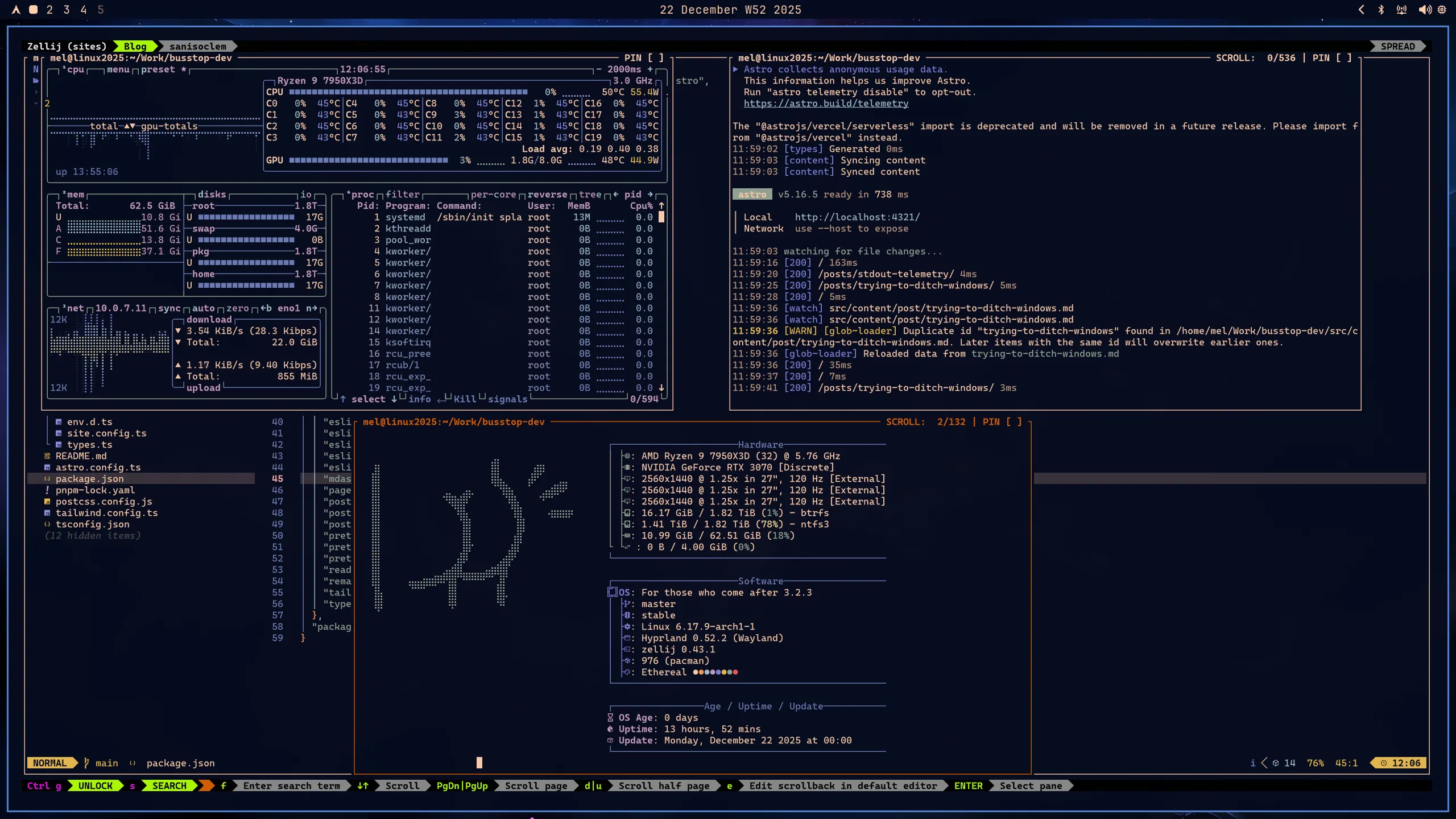
Here are a few screenshots:
What I liked
It was easy, watch this to see how hard it can be for a layman: https://www.youtube.com/watch?v=uZDPXFQYz0Q. But it’s not easy in the same way mint is easy, both made decisions for you to make it easy, but I think omarchy made more assumptions but they align more with my own preferences. And the ones that don’t are easy to change (mostly). For example, most installers (including windows), will ask you how to setup your partitions and hdd encryption, omarchy doesn’t bother with this, and just asks you which disk to install it to, choosing a layout that works for me and chooses full disk encryption too. I hope this continues to be the case.
Another plus point for me, is that it looks good out of the box. I picked one of the preinstalled themes and I was good to go.
Finally, I like that it was based on Arch. I don’t have a lot of experience with it yet, and don’t have a lot of experience with other distros in general, so we’ll see. But so far, I liked how everything is not years old, and there are so much stuff in the AUR. In principle, I would’ve liked a NixOS like paradigm more, but in practice, I will probably need something not present in the official repos, and I would prefer to be in Arch in those situtations, I think…
What I didn’t like
The monitor setup was finicky, hypermon was very useful and should probably just come stock.
Secure boot instructions should be in the official manual.
Other than that, my inner Linux noob cannot complain. For the first time in decades, I don’t have a windows machine. There are still a few things that I need to work out, but hopefully I don’t have to burn a windows ISO any time soon 😂.